Submitting a Support Ticket
Purpose/Overview
In this article, you will learn how to submit a support ticket in Digtix, including how to provide helpful details and attachments to ensure your request is handled efficiently.
Navigation Path:
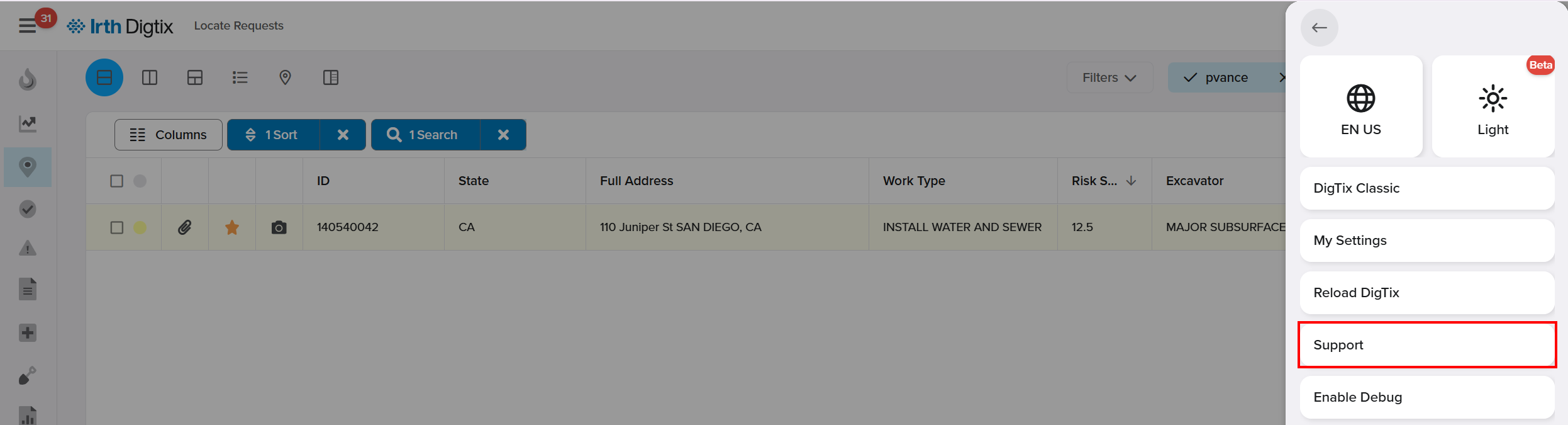
To access this feature, go to: Digtix > Account Menu > Support

Things to Know:
- The Support option is only available to Managers and Administrators.
Providing clear, detailed information helps speed up resolution time.
Attachments (especially screenshots) can significantly improve the Support team’s ability to diagnose issues.
Suggested knowledge base articles may provide immediate answers without needing to submit a ticket.
You will receive notifications via the email address included in your ticket.
How It Works:
Submit a Support Ticket
Access the Support option
- Click the Account Menu in the top right corner of the Digtix interface.
- Select Support from the dropdown menu.
Open the ticket form
- On the Support page, click Submit a ticket in the upper-right corner of the screen.
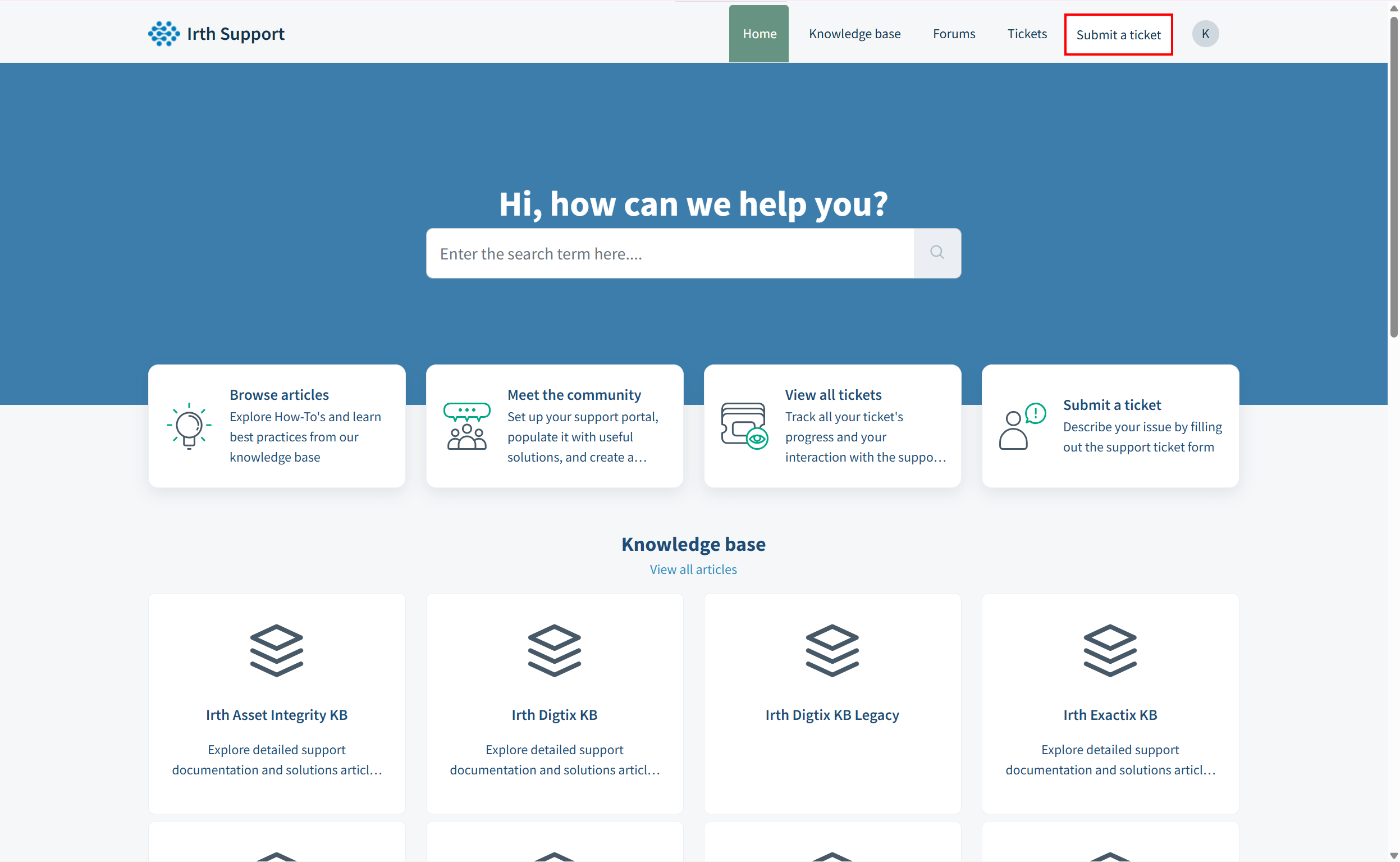
- On the Support page, click Submit a ticket in the upper-right corner of the screen.
Enter your request details
- Fill out all required fields in the ticket form with information about your issue or request.
- As you type, recommended knowledge base articles will appear on the right side of the page. Review these suggestions, as they may help resolve your question without submitting a ticket.
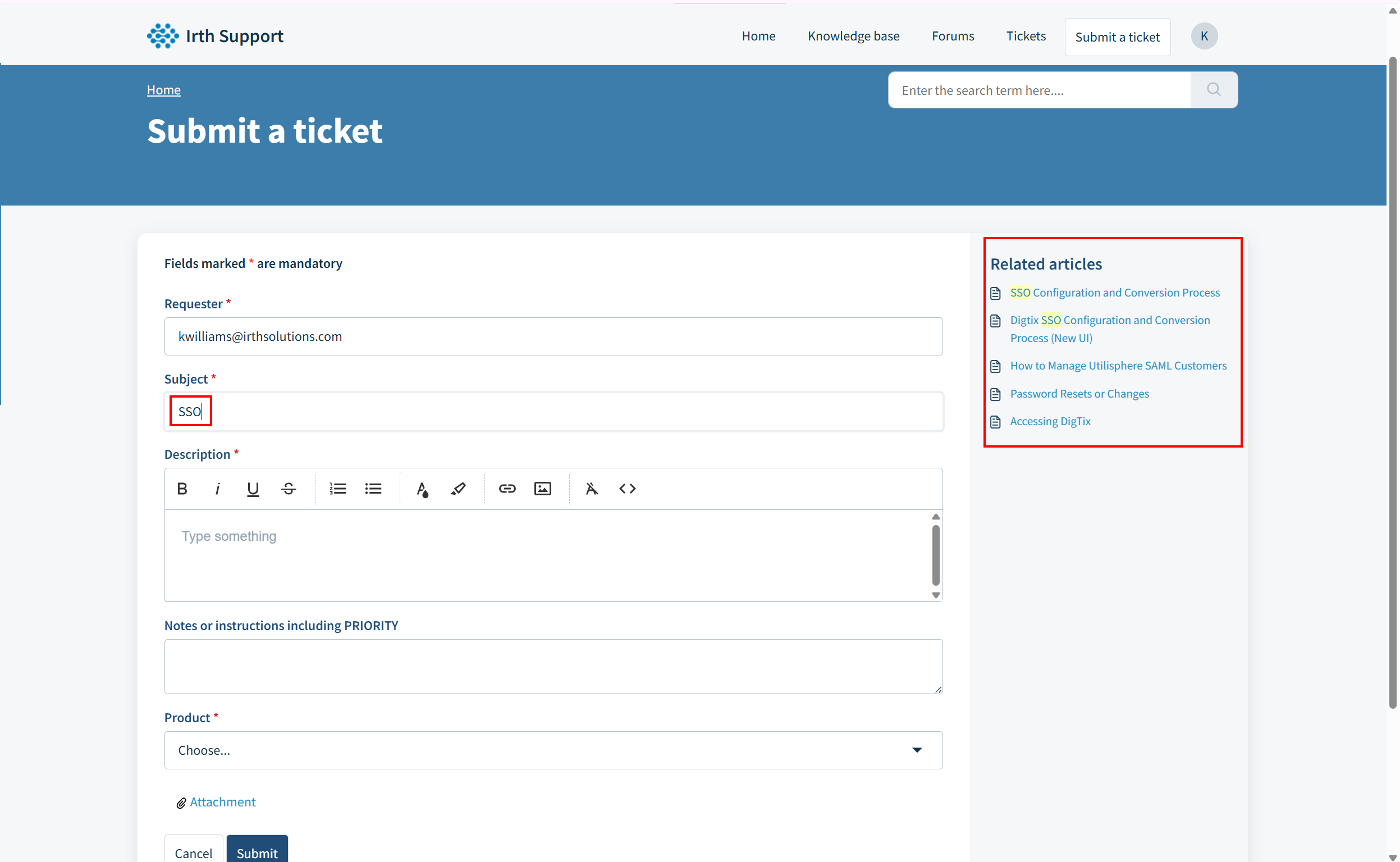
- Attach relevant files if needed (such as screenshots or documents).
- Including screenshots of Digtix is highly recommended to help the Support team better understand and resolve your issue.
- Including screenshots of Digtix is highly recommended to help the Support team better understand and resolve your issue.
Submit your ticket
- Click Submit at the bottom of the form.
- The email address entered on the ticket will receive updates as the Digtix Support Team works on your request.
Questions? Contact us!

Was this article helpful?
That’s Great!
Thank you for your feedback
Sorry! We couldn't be helpful
Thank you for your feedback
Feedback sent
We appreciate your effort and will try to fix the article